FACELESS AI VIDEO CREATION
Create faceless AI videos for social media and commercial projects without appearing on camera.
AI VIDEO TOOL REVIEW · PRACTICAL PRODUCT REVIEW
RocketVideosAI Review: Turn Simple Ideas Into AI Videos Faster
RocketVideosAI is built for creators, freelancers, and small teams who want a more guided way to plan, create, edit, and export videos with AI. In this review, we look at what it can do, where it may help, and what to check before you buy.
✓ AI video workflow explained
✓ Pricing, credits, and upgrades clarified
✓ Benefits and limitations reviewed
Affiliate disclosure: We may earn a commission if you purchase through links on this page, at no extra cost to you. Our goal is to explain the product clearly so you can decide if it fits your workflow.
PRODUCT REVIEW SNAPSHOT
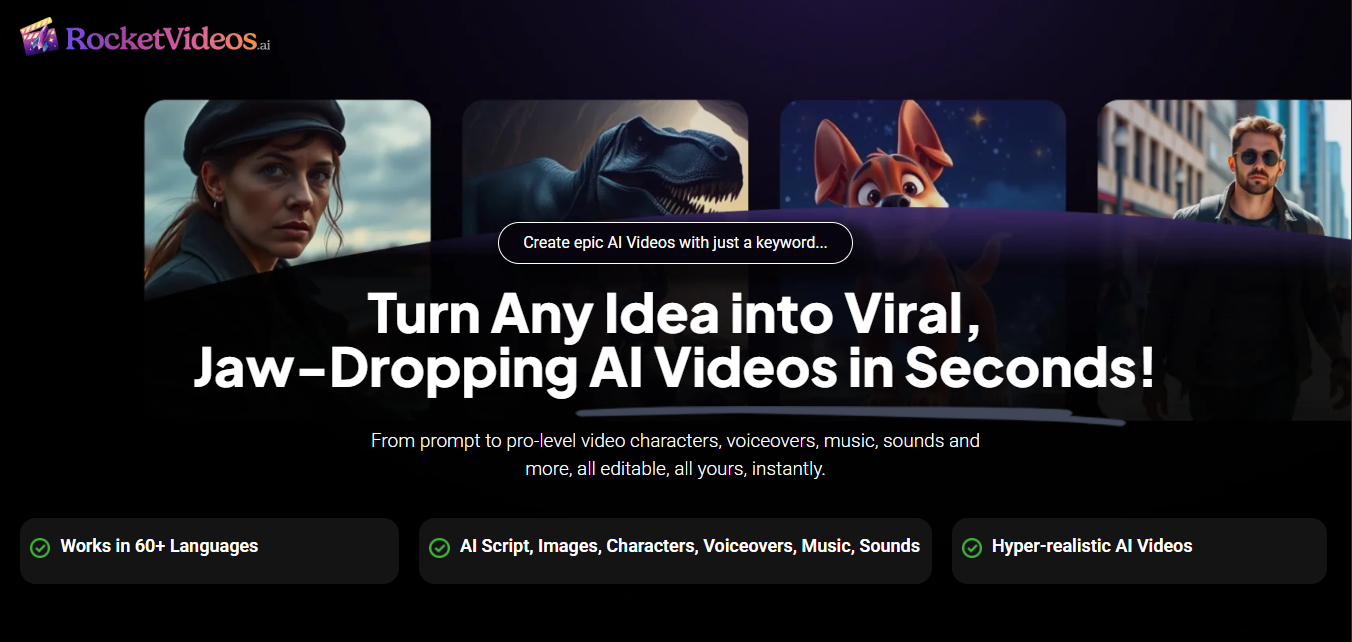
Official promotional visual used for review purposes.
WHY THIS MATTERS
Creating Good Videos Often Takes More Than One Tool
Video creation can quickly become complicated when ideas, scripts, visuals, voices, editing, music, captions, and exports are handled across separate tools. RocketVideosAI is presented as a way to bring more of that workflow into one AI-assisted process.
Too Many Steps Between an Idea and a Finished Video
A simple video idea can turn into a long process: writing the script, planning scenes, creating visuals, adding voices, choosing music, editing the timeline, and exporting the final file.
Creative Assets Are Often Scattered
Creators often need separate tools for images, voiceovers, music, captions, characters, and video editing. That can slow down production and make each project harder to manage.
Beginners Need a Clearer Workflow
For creators, freelancers, and small teams, the challenge is not only creating a video. It is knowing what to do first, what to edit, and how to move from draft to final output.
HOW IT WORKS
From an Idea to an AI Video in a Guided Workflow
RocketVideosAI is presented as a tool that helps users move from a simple idea to a more complete video project by combining planning, visual generation, scene editing, voice, music, and export features in one workflow.
Start With an Idea or Prompt
Begin with a topic, concept, script idea, or video direction. RocketVideosAI is designed to help turn that starting point into a more structured video workflow.
Build the Storyboard and Visual Direction
The product materials describe tools for storyboard creation, AI images, characters, visual styles, scene direction, and image-to-video workflows.
Customize Scenes, Voices, and Audio
Users can review and adjust the project with elements such as voiceovers, text-to-speech, music, sound effects, subtitles, transitions, and timeline editing.
Export the Finished Video
Once the video is ready, RocketVideosAI is presented as supporting multiple formats and HD export, depending on the current plan and offer details.
KEY FEATURES
The Core Features Behind the RocketVideosAI Workflow
RocketVideosAI brings together several AI-assisted video creation tools, from planning and visual generation to characters, audio, editing, and export. The exact features available may depend on the current offer and selected plan.

AI Storyboard Planning
Turn a starting idea, prompt, or concept into a more structured video direction. The vendor materials describe RocketVideosAI as supporting plain-words-to-storyboard workflows.

AI Images and Image-to-Video
Create visual assets with AI text-to-image tools and use image-to-video features to help transform static ideas into more dynamic video scenes.

Characters and Scene Control
RocketVideosAI is presented with tools for character design, character continuity, camera angles, movement, visual styles, and environment customization.

Voice, Music, and Sound
The product materials mention voiceover tools, text-to-speech, human-sounding voice actors, sound effects, and royalty-free music tracks for building richer video projects.

Timeline Editing and Captions
Users can refine their projects with timeline editing, subtitle styles, transitions, scene adjustments, and other editing elements described in the vendor materials.

Multi-Format Export and Commercial Use
The Commercial offer is presented with multi-format support, HD export, and a commercial license. Always check the current offer page for the latest plan details.
SEE IT IN ACTION
A Closer Look at the RocketVideosAI Experience
RocketVideosAI is presented as a visual AI video creation platform where users can move from an idea or prompt into a more complete video project with storyboard, characters, visuals, voice, audio, editing, and export tools.
See how the product is positioned before visiting the official offer page.
Understand the main workflow: idea, storyboard, visuals, scenes, audio, editing, and export.
Review the type of tools included in the RocketVideosAI ecosystem before deciding whether it fits your needs.
Who RocketVideosAI May Be a Good Fit For
RocketVideosAI may be useful for people who want to create more video content without building every part of the workflow from separate tools. It is best suited for users who need help with planning, visuals, scenes, voice, audio, editing, and export in a more guided AI-assisted process.

Content Creators and Solo Professionals
Creators, freelancers, consultants, and independent operators who need regular video ideas, visual scenes, voiceovers, captions, and social-ready formats may find the guided workflow useful for routine content production.

Small Businesses and Lean Teams
Small businesses and growing teams that need simple marketing videos, product explainers, local promotions, or brand content may benefit from keeping more of the video creation process in one place.

Agencies and Service Providers
Agencies, consultants, and service providers can use RocketVideosAI as part of a broader workflow for creating promotional videos, explainers, social media assets, or client content.

Marketing and Content Teams
Marketing teams can use RocketVideosAI to explore video concepts, draft scenes, test creative angles, and prepare content ideas before moving into final production.
What RocketVideosAI Can Help You Improve
Beyond the feature list, the main value of RocketVideosAI is the way it brings several parts of the video creation process into a more guided AI-assisted workflow.
Useful for users who want a clearer path from idea to video without managing every step across separate tools.
Move Faster from Idea to Video
Instead of starting with a blank page, users can begin with an idea or prompt and move into a more structured video workflow with planning, visuals, scenes, audio, and export steps.
Keep More of the Workflow in One Place
RocketVideosAI is presented as combining tools for storyboards, AI images, characters, voiceovers, music, captions, editing, and multi-format output in a single workflow.
Create More Consistent Video Projects
A guided process can help creators and teams keep their video projects more organized, especially when working with repeated content formats, scenes, characters, and social-ready videos.
Reduce the Need for Multiple Separate Tools
For users who do not want to manage separate apps for scripts, visuals, voices, music, captions, and editing, RocketVideosAI may offer a simpler way to build video projects.
WHAT YOU GET
What’s Included with RocketVideosAI Commercial
The Commercial offer is presented as the main RocketVideosAI access option. It focuses on helping users plan, build, edit, and export AI-assisted videos through a more guided workflow.
Always check the official offer page before purchasing, because pricing, credits, limits, and included features may change.
COMMERCIAL OFFER
RocketVideosAI Commercial Access
The Commercial offer is presented as the core RocketVideosAI package, with access to the AI-assisted video creation workflow, including planning, visuals, scenes, audio, editing, export tools, and commercial usage rights based on the current offer terms.

Storyboard, Visuals, and Characters
RocketVideosAI is presented with tools for AI storyboard creation, AI image generation, image-to-video workflows, character design, character continuity, visual styles, camera angles, and scene direction.

Voice, Audio, Captions, and Editing
RocketVideosAI is presented with voiceover tools, text-to-speech, music, sound effects, subtitle styles, transitions, timeline editing, and other elements for refining video projects.

Export Options and Commercial Use
The Commercial offer is presented with multi-format support, HD export, and a commercial license. Always review the latest license terms and usage limits on the official offer page.
Additional Offer Details
According to the current RocketVideosAI offer details, the Commercial offer may include usage limits such as up to 50 projects, up to 500 generated images, up to 100 generative videos, videos up to 3 minutes, and a one-time credit allocation. These details should be verified on the current checkout page before purchase.
EDITORIAL VERDICT
RocketVideosAI Pros, Cons, and Key Considerations
RocketVideosAI brings together several AI-assisted video creation tools in one workflow, but it is still important to understand both the strengths and the practical limits before deciding whether it fits your needs.

What Stands Out
RocketVideosAI stands out for combining storyboard planning, AI visuals, character tools, voice, audio, captions, editing, export options, and commercial use into a more guided video creation workflow.

Potential Limitations
The Commercial offer may include usage limits, credits, project limits, video length limits, and plan-specific restrictions. Output quality may also depend on prompts, source assets, and user expectations.
BEFORE YOU DECIDE
Check the Current Offer Details Carefully
Before purchasing, review the official RocketVideosAI offer page, confirm what is included in the Commercial plan, check the current credits and limits, review the commercial license terms, and make sure the product matches your actual video workflow.
PRICING & ACCESS
RocketVideosAI Pricing, Access, and Offer Options
RocketVideosAI may be available through different access options, including Commercial, Bundle, and Monthly. Review the current checkout page for each option before choosing, because pricing, credits, limits, upgrades, and access terms can change.
OPTION 1 · COMMERCIAL
FOR FACELESS SOCIAL VIDEO CREATORS
Check the Latest RocketVideosAI Commercial Price
The Commercial offer is a practical starting point for creators producing faceless AI videos for social media, business content, and client projects.
Price shown at time of review
Commercial Offer: $37
At the time this page was prepared, the Commercial offer was listed at $37. Pricing, coupons, credits, limits, and available upgrades may change on the official checkout page.
Use this overview to understand the Commercial offer before visiting the official checkout page, where the latest price, credits, limits, and access terms are confirmed.
Affiliate note: if you purchase through our link, we may earn a commission at no extra cost to you.
Quick Verification
Before buying, confirm the current price, included credits, project limits, video length limits, commercial license terms, refund policy, and any optional upgrades shown during checkout.
Other RocketVideosAI Access Options
Compare the Bundle and Monthly options if you want to review more than the Commercial offer before choosing your access path.

RocketVideosAI Bundle
Bundle: $297 one-time
The Bundle option may be useful if you want broader access to RocketVideosAI, including the main product, upgrades, bonuses, and extra training. Review the Bundle offer details before completing your purchase to confirm what is included and whether it fits your needs.
Review Bundle Option
RocketVideosAI Monthly
Monthly: $19 recurring
The Monthly option may be relevant if you prefer recurring access or want to compare ongoing access with the Commercial and Bundle offers. The Monthly offer is currently shown at $19 recurring. Before completing your purchase, review the current monthly terms, included features, billing details, and cancellation conditions.
See Monthly Option
Compare Before You Choose
Each option may include different pricing, access terms, credits, limits, or upgrade paths. Review the checkout page for the option you choose before purchasing.

License, Refund, and Recurring Terms
Before buying, check the commercial license terms, refund conditions, support details, and whether any recurring charges apply to the option you select.

Important: before purchasing, review the checkout page for the option you choose. Confirm the latest price, included credits, project limits, commercial license terms, refund conditions, and any optional recurring charges.
FREQUENTLY ASKED QUESTIONS
Questions to Review Before You Buy
Here are the key questions to help you understand RocketVideosAI Commercial, including price, access, upgrades, licensing, refunds, and affiliate transparency.
Is the RocketVideosAI Commercial price always the same?
No. The Commercial offer was listed at $37 when this page was prepared, but pricing, coupons, credits, limits, and upgrade options can change. Check the current RocketVideosAI checkout page before purchasing.
What should I check before buying RocketVideosAI?
Before buying, review the current price, included credits, project limits, video length limits, commercial license terms, refund policy, and any optional upgrades shown during checkout.
Are upgrades or add-ons required?
The Commercial offer is the main product access, but RocketVideosAI may show optional upgrades, bundles, or add-ons after the first purchase. Review each offer carefully so you know what is included and what is optional.
Does RocketVideosAI Commercial include commercial rights?
RocketVideosAI Commercial is presented with commercial usage rights. Before using videos for client work, business content, or paid projects, review the latest license terms and any usage restrictions.
What is the refund policy?
RocketVideosAI has a refund policy with specific conditions. Refunds may apply in cases such as the product being materially not as described, not working as expected and not easily fixable, or promised support not being provided. Change of mind, unmet expectations, mistaken purchases, lack of expertise, or requests after the stated refund period may not qualify.
Do you earn a commission from this page?
Yes. This page may contain affiliate links. If you purchase through our link, we may earn a commission at no extra cost to you. This does not change the price you pay or the details shown on the RocketVideosAI checkout page.
FINAL VERDICT
Ready to Review the Current RocketVideosAI Offer?
If RocketVideosAI looks like a good fit for your video workflow, the next step is to compare the current access options, included credits, license terms, billing details, and checkout conditions before you decide.
Review Access OptionsAffiliate transparency: if you purchase through our links, we may earn a commission at no extra cost to you. Always review the latest checkout details for the option you choose before purchasing.